syscall.el, Linux syscall tables in Emacs
Look up a syscall by name or number, browse a whole table, check which register takes which argument, or drop a ready made stub into your assembly. It's the same data as the site, read from the API once and kept on disk, so it keeps working on a plane. The code is on GitHub.
Install
It needs Emacs 29.1 or newer and nothing else. With use-package on Emacs 30 or newer:
(use-package syscall
  :vc (:url "https://github.com/guitmz/syscall.el" :branch "main")
  :bind-keymap ("C-c s" . syscall-command-map)
  :hook ((c-mode c-ts-mode asm-mode) . syscall-eldoc-mode))
On Emacs 29, use package-vc:
(package-vc-install '(syscall :url "https://github.com/guitmz/syscall.el"))It works with straight.el and Elpaca too, or you can clone it and add it to your load-path. The README has all of them.
The first command you run asks to download the data. That's about 6MB and takes around 10 seconds, and after that everything comes from the cache.
Keys
These assume the C-c s prefix from above. With C-u first, lookup, compare and the stub ask for an architecture just that once.
| KEY | COMMAND | WHAT IT DOES |
|---|---|---|
| C-c s l | syscall-lookup | describe a syscall by name |
| C-c s n | syscall-lookup-number | describe a syscall by number, like 59 or 0x3b |
| C-c s L | syscall-list | every syscall on an architecture |
| C-c s c | syscall-compare | one syscall on every architecture |
| C-c s C | syscall-conventions-table | registers and trap instruction per architecture |
| C-c s d | syscall-diff | what changed between two releases |
| C-c s i | syscall-insert-asm-stub | insert assembly that makes the call |
| C-c s a | syscall-set-arch | change the default architecture |
| C-c s k | syscall-set-kernel | change the default release |
| C-c s u | syscall-update | refresh the cache |
A quick tour
The screenshots are Emacs 31 with the Kaolin Dark theme and Fira Code.
Look one up
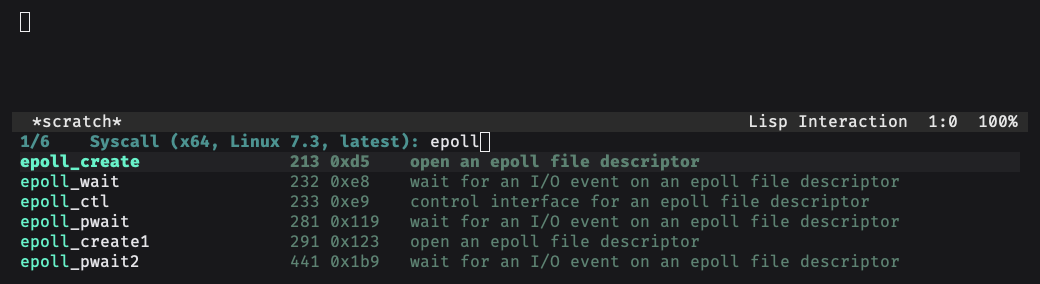
C-c s l asks for a name, with the number and description next to each one. The name at point is the default, so SYS_read or __NR_read in your code just works.
You get the number, the signature, the register for each argument, the release it showed up in, any notes for that architecture and the same syscall everywhere else.
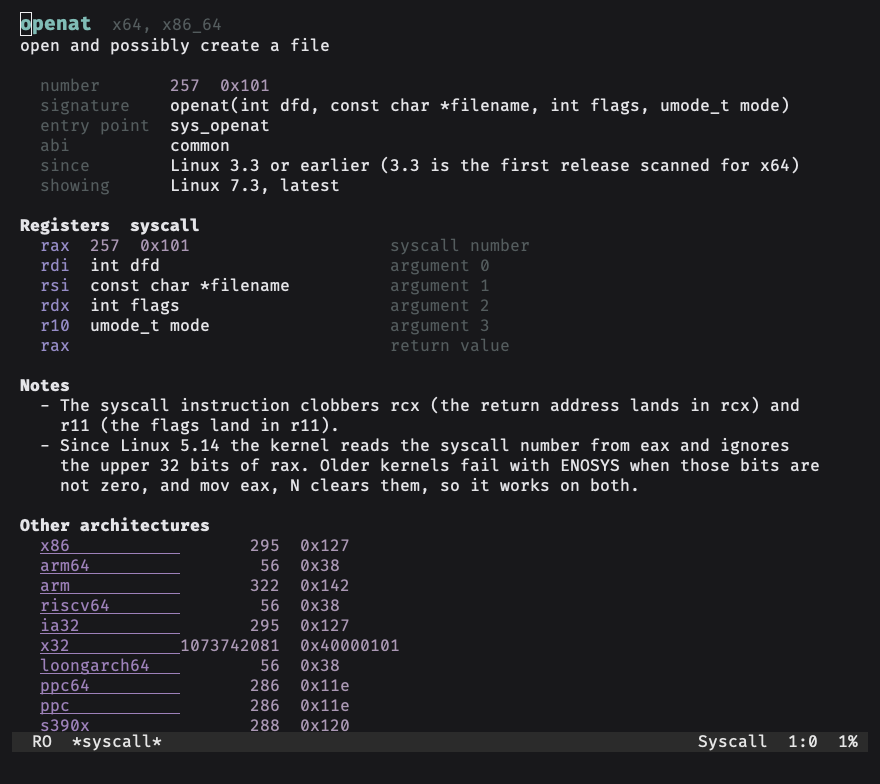
In there, n and p step through the numbers, a switches architecture and k switches kernel. m opens the man page and s the kernel source. w and W copy the number in decimal or hex, and i copies an assembly stub.
Browse a table
C-c s L lists everything an architecture has. RET describes the one at point.
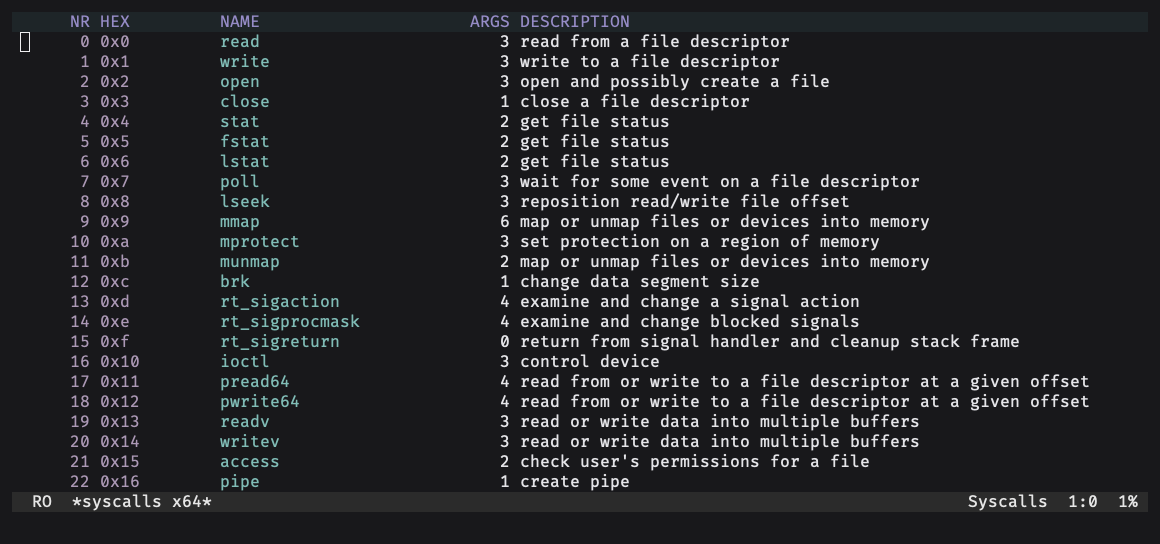
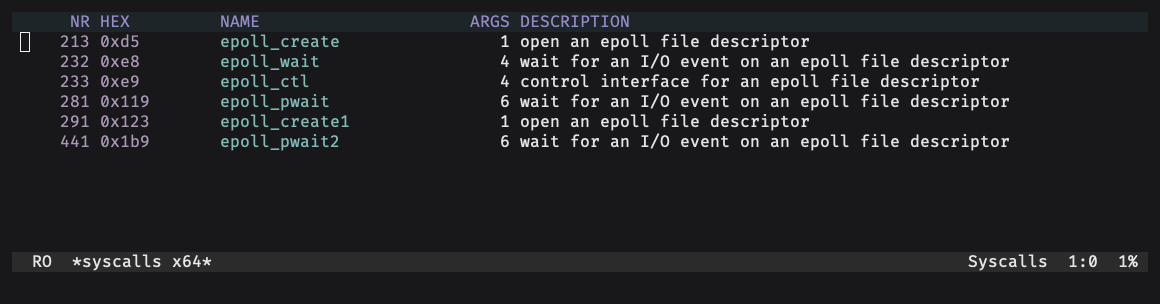
/ filters as you type. A number like 59 or 0x3b jumps to that syscall, and any other text matches names, arguments, descriptions, families and kconfig options. f narrows to a family like epoll or io_uring.
Press k and pick "all" to get every syscall the architecture ever had. The ones that are gone are struck through, with the release that dropped them.

Compare and diff
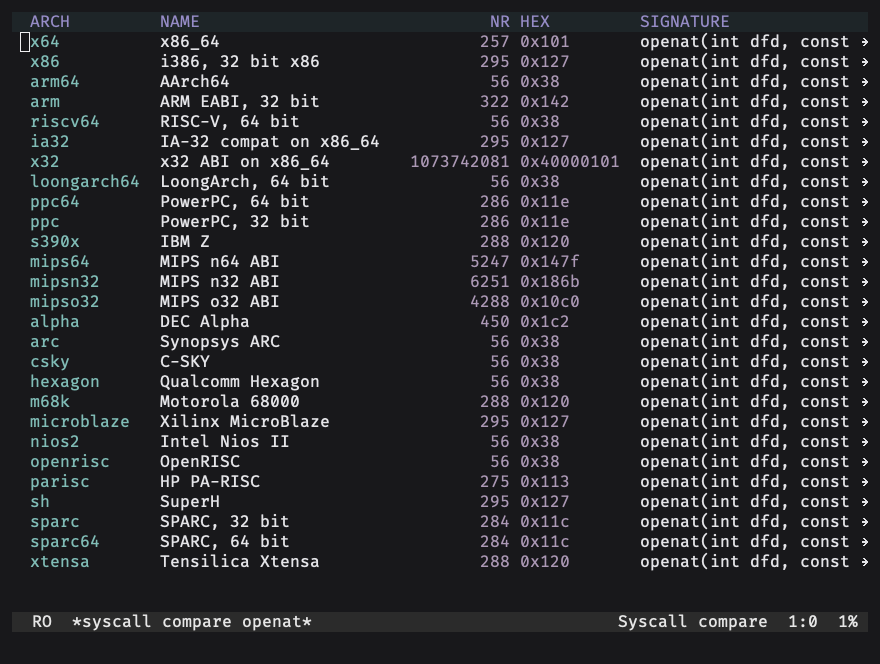
C-c s c shows one syscall on every architecture that has it, so you can see at a glance where the numbers line up.
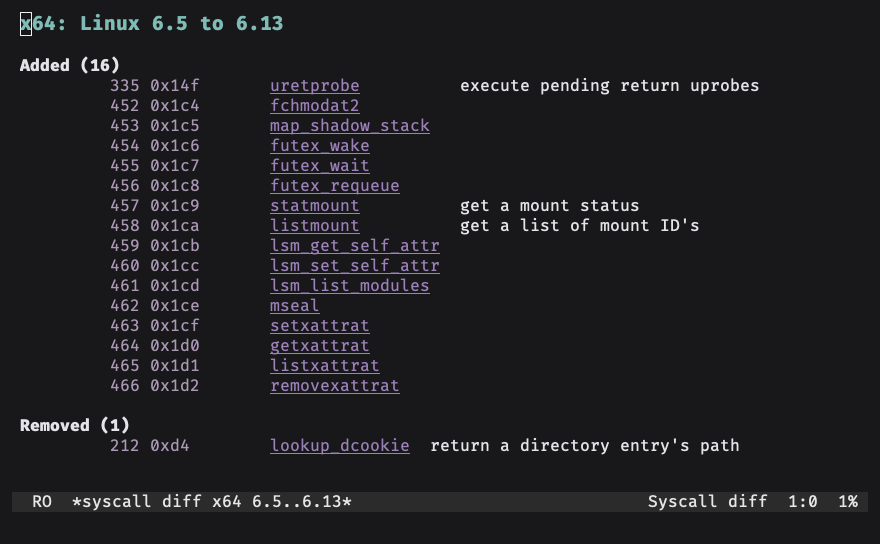
C-c s d lists what an architecture gained and lost between two releases. It's worked out from the cache, so it needs no network either.
Calling conventions
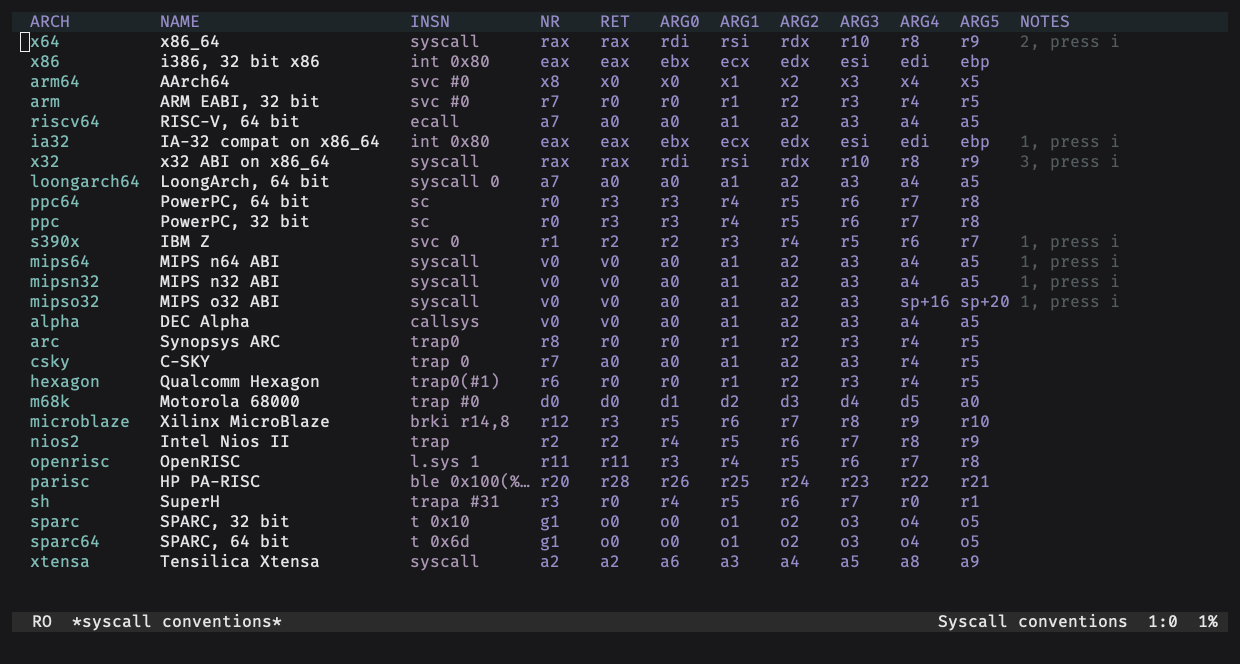
C-c s C is the same table as the one on the home page. Press i on a row to read its notes, like syscall clobbering rcx and r11 on x64.
Assembly stubs
C-c s i writes the code that makes the call, right at point. You fill in the values.
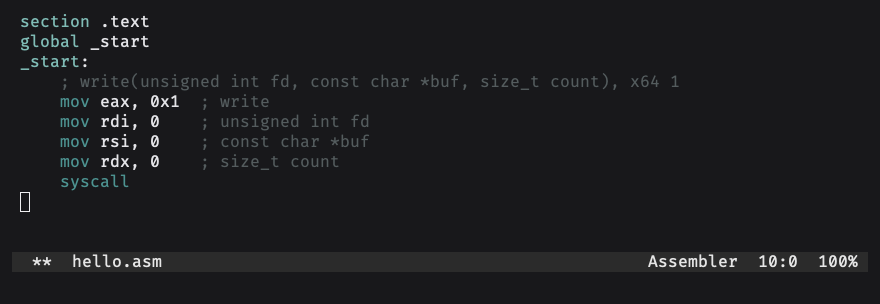
It loads eax and not rax on purpose, since that clears the top half too and kernels older than 5.14 need that. You get real syntax on x86, ARM, AArch64, riscv64 and MIPS. Every other architecture gets the register assignments as comments.
ElDoc
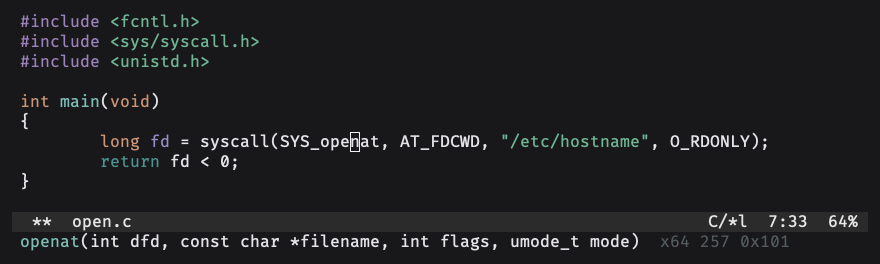
Turn on syscall-eldoc-mode in C or assembly buffers, and the signature and number of the syscall under the cursor show up in the echo area. It only looks at names like SYS_openat, __NR_openat or sys_openat, so a plain open in your code stays quiet.
Settings
M-x customize-group RET syscall RET has everything. These are the ones you'll probably want:
(setq syscall-default-arch "arm64"     ; "x64" by default
      syscall-default-kernel nil       ; nil for the latest, "all", or a release like "5.10"
      syscall-auto-update-interval 30  ; days between refreshes, nil to turn them off
      syscall-eldoc-bare-names nil)    ; t to match plain names like read too
The cache
The data lives in ~/.emacs.d/syscall/ unless you set syscall-cache-directory. Each architecture is one JSON file with every syscall it ever had, like the ones on this site, and that's enough to answer for any release offline.
syscall-update only downloads the files that changed, and C-u M-x syscall-update grabs everything again. The new files replace the old ones only when every download worked, so a failed update leaves your cache as it was. Nothing else touches the network apart from the monthly refresh, and ElDoc never downloads anything.
If a syscall seems to be missing, it might not exist in the release you picked. Try C-c s k and choose "all". Bugs and ideas go to the issue tracker.