syscall, Linux syscall tables in your terminal
Look up a number or a signature, compare architectures, see when a syscall showed up, search everything in an interactive explorer or annotate an strace log. It's the same data as the site, pulled from the API at build time. The code is on GitHub.
Install
With Homebrew or Go 1.27 or newer.
brew install guitmz/tools/syscall
go install github.com/guitmz/syscall@latest
There are Linux and macOS archives on the releases page too. For tab completion of names and architectures, run syscall completion bash, or zsh or fish.
Look one up
Give it a name or a number and you get the description, the signature and where it lives on the common architectures.
syscall memfd_creatememfd_create - create an anonymous file
memfd_create(const char *uname_ptr, unsigned int flags)
needs CONFIG_MEMFD_CREATE, returns ENOSYS without it
ARCH NR HEX INSN NR REG ARG0 ARG1 RET
x64 319 0x13f syscall rax rdi rsi rax
x86 356 0x164 int 0x80 eax ebx ecx eax
arm 385 0x181 svc #0 r7 r0 r1 r0
arm64 279 0x117 svc #0 x8 x0 x1 x0
riscv64 279 0x117 ecall a7 a0 a1 a0
22 more arches with --arch allPass --arch all for every architecture, a list like --arch x64,x32 for a few, or a single one like --arch x64 for the full details. A number works the same way, so syscall 60 tells you what 60 is.
Commands
A bare name or number is the same as syscall get. The rest are below, and syscall help plus a command name shows its flags.
| COMMAND | WHAT IT DOES |
|---|---|
get | describe a syscall by name or number |
list | every syscall on an architecture |
search | search by text, signature or family |
history | when a syscall showed up and where |
diff | what changed between two releases |
conventions | registers and trap instruction per architecture |
snippet | assembly, C or Go that makes the call |
trace | annotate strace or perf trace output |
explore | the interactive explorer |
arches | the architectures and what they cover |
kernels | the scanned kernel releases |
The ones that work on a single architecture, like list, search, history, snippet and trace, use your machine's architecture on Linux and x64 anywhere else. They show the latest release unless you pass --kernel, and --kernel all brings back the syscalls that were removed. Add -o json for JSON. Tables pipe nicely into less or fzf, and NO_COLOR is respected.
TilePro has negative syscall numbers, so put -- before them.
The explorer
syscall explore opens everything in one screen. Press / to search, move with the arrows or j and k, and press ? for every key. : opens a palette that runs any command by name.
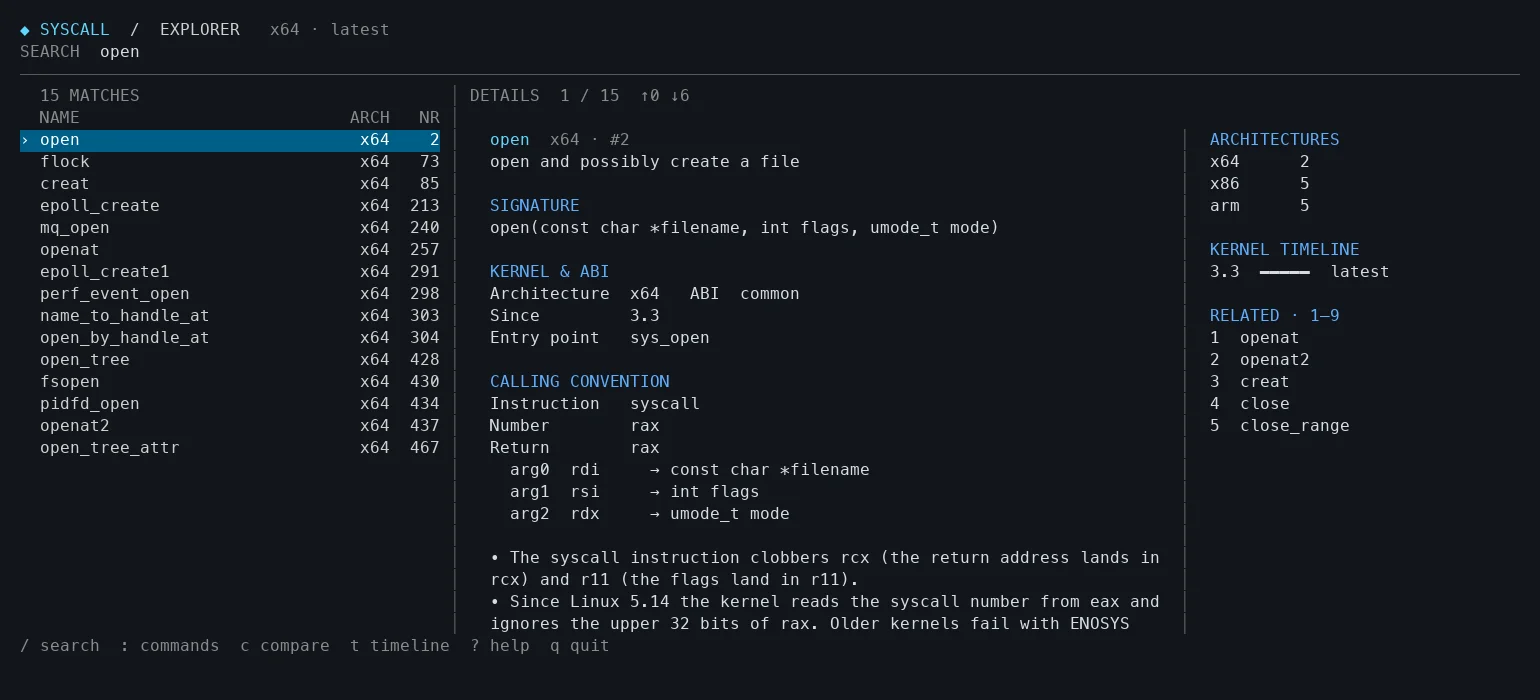
On a terminal 140 columns or wider you get a side panel with the number on each architecture, the history and related syscalls. i toggles it. Themes are --theme dark, light or mono.
The explorer and syscall search take the same filters.
syscall search "family:epoll fd:true"
syscall search "arg:fd nargs:3"
There's name, desc, family, arg, nargs and fd, and Emacs keys work in the search box.
Snippets
syscall snippet writes the code that makes the call. You fill in the values before running anything.
syscall snippet openat --arch x64 --language asm
syscall snippet read --arch arm64 --language c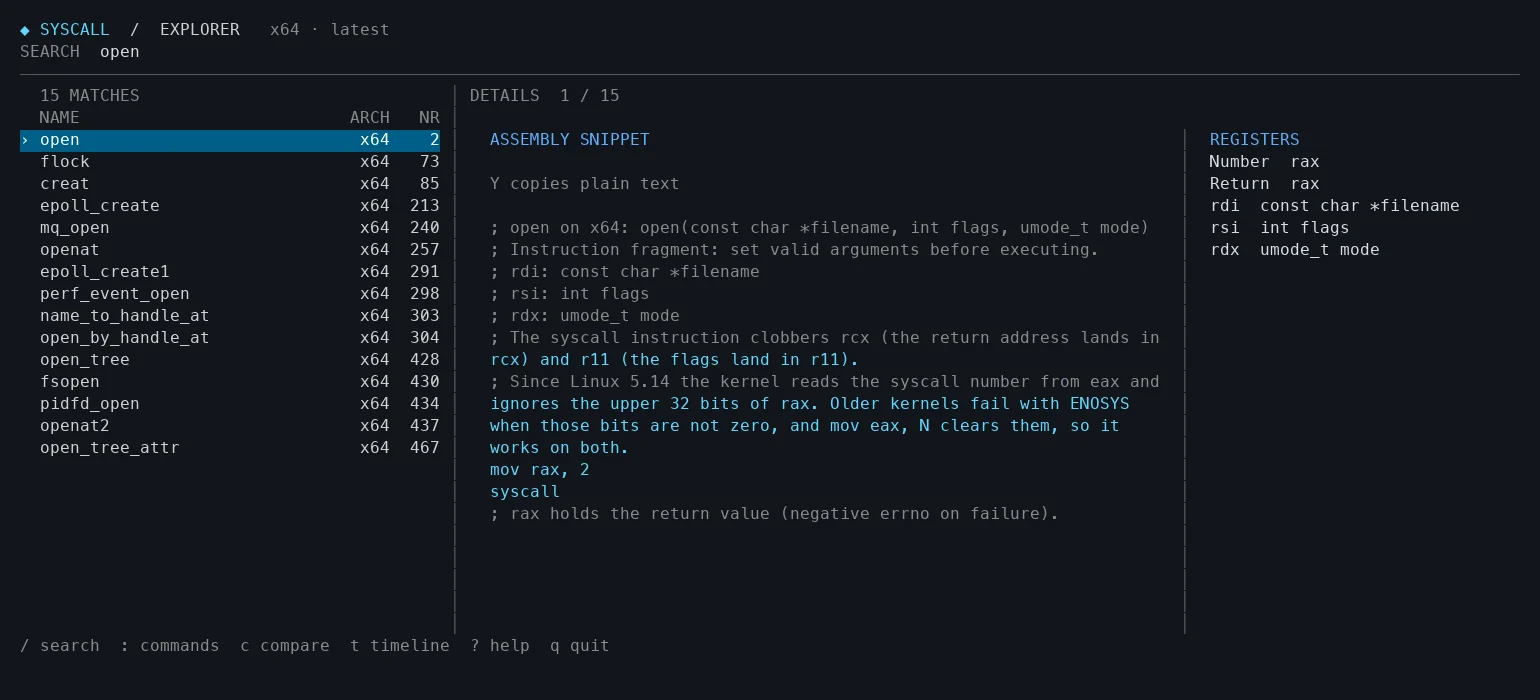
Assembly works on x64, x86, ia32, x32, arm64 and riscv64. C works everywhere and Go on the architectures Go supports.
Traces
syscall trace reads bare numbers or full strace and perf trace lines and adds the names and signatures. Anything else passes through untouched.
strace -f -o trace.log ./program
syscall trace --summary < trace.log
--only openat keeps one syscall, --errors keeps the calls that failed and --summary counts them.
Bugs and ideas go to the issue tracker. If you live in Emacs instead, syscall.el has the same data there.